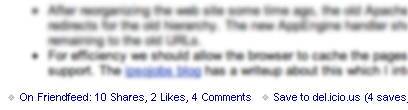
Today's article is a discussion about some of the infrastructure for running this site. So far as I can tell from the logs and analytics, nearly everyone reading this blog does so via RSS. The RSS feed for this site is provided by FeedBurner, now part of Google. FeedBurner supports FeedFlares, small widgets appended after the content which can supply additional information or link to other services. I currently use several FeedFlares in the RSS feed, for del.icio.us and friendfeed. The friendfeed flare is new, and is the topic of this writeup.
 friendfeed is a social media aggregation service, collecting updates from services like Digg, Flickr, and various blog platforms into a single stream of updates. Many good articles about friendfeed can be found on louisgray.com.
The RSS feed for this blog is imported into friendfeed where people can see it, mark it as something they liked, or leave comments. At the time I started working on this project there was not a FeedFlare for friendfeed. There is now, but I decided to finish my version anyway and post it here. As Google App Engine is my favorite new toy, the FeedFlare is a GAE application.
We'll go straight to the code which gathers information from friendfeed to create the FeedFlare. I'm going to skip the boilerplate code for an application on the Google App Engine. It can be found on an earlier article about the App Engine, if needed. The complete source for this feedflare is also available for download.
class FriendfeedFlare(webapp.RequestHandler):
  def get(self):
    self.response.headers['Content-Type'] = "text/plain"

    scheme, host, path, param, query, frag = urlparse.urlparse(self.request.url)
    args = cgi.parse_qs(query)

    url      = self.parseArg(args, "url")
    nickname = self.parseArg(args, "nickname")
    api_key  = self.parseArg(args, "api_key")

    if (url == None):
        self.response.out.write("<FeedFlare><Text>No URL specified!</Text></FeedFlare>\n")
        return

    subscribed = 1 if (nickname != None and api_key != None) else 0
Three arguments are accepted, using the standard CGI convention of http://host/path?arg1=value&arg2=value
- url - the url of the RSS item this FeedFlare should reference. This argument is required.
- nickname - the friendfeed account to authenticate as. If provided, the search will be restricted to friends of this nickname. If not provided, we search all entries on friendfeed.com.
- api_key - the API Key to authenticate us. If nickname is provided the api_key must also be provided.
Note: At the time of this writing (4/9/2009) the nickname functionality to restrict results to subscribers is not working. It was working a couple days ago, but seemed to break just as I posted this article. I'll update the post if I get it working again, for now the feedflare is useable when searching all entries on friendfeed.com.
urlparse.urlparse() is employed to break the URL into its main components, and then cgi.parse_qs() pulls out the individual parameters. parse_qs() returns each argument as a list, because it allows multiple instances of an argument. In this case only one makes sense, so we get back a list with one member. self.parseArg() is a small helper routine to return None if the argument is not present, or the first element in the list returned from cgi.parse_qs().
    try:
        ffsession = friendfeed.FriendFeed(nickname, api_key);
        entries   = ffsession.fetch_url_feed(url, subscribed);
    except IOError:
        self.error(503);
        return
Friendfeed supplies Python wrapper functions for their API. The wrapper functions are used here to connect to friendfeed.com, using the authorization credentials (if present). If friendfeed is not responding, a 503 response is sent to feedburner.com. This Service Unavailable result tells feedburner to continue to use its cached information and to try again later.
fetch_url_feed() is a function added to the friendfeed API, to support their /api/feed/url API. It fetches all entries which reference the given url.
    totalshares   = 0
    totalcomments = 0
    likers        = set()
    linkurl       = "http://friendfeed.com/"
    linkcomments  = -1

    for entry in entries["entries"]:
        totalshares   += 1
        numcomments    = len(entry["comments"])
        totalcomments += numcomments
        if (numcomments > linkcomments):
            linkurl = "http://friendfeed.com/e/" + entry["id"]
            linkcomments = numcomments
        for like in entry["likes"]:
            liker = like["user"]
            likers.add(liker["name"])

    totallikes = len(likers)
The friendfeed API returns entries in JSON format, which is parsed by their API and returned as nested Python lists. To count the number of likes and comments, one needs to iterate over each entry.
likers is a Python set, a datatype I learned about while working on this project. A set is a group of objects which will contain no duplicates. If you add an item to the set which is already present the set will contain only one instance of the item, not two. This is used to avoid overcounting likes: if the URL we are looking for was shared multiple times in friendfeed and the same user marked every one of them as liked, we only want to count that as one like not many.
The linkurl is a compromise. I'd really like to direct the link to a page containing all of the results for this URL. Unfortunately only the friendfeed JSON API includes URL search functionality, the web search page does not. So far as I can tell there is no way to link back to friendfeed for more than one entry ID. So here we link to the entry with the most comments.
    self.response.out.write("<FeedFlare>\n")
    if (totalshares == 0):
        self.response.out.write("  <Text>On Friendfeed: 0 shares</Text>\n")
    else:
        self.response.out.write("  <Text>On Friendfeed: " +                      \
                                self.fmtTotal(totalshares,   "Share")   + ", " + \
                                self.fmtTotal(totallikes,    "Like")    + ", " + \
                                self.fmtTotal(totalcomments, "Comment") +        \
                                "</Text>\n");
    self.response.out.write("  <Link href=\"" + linkurl + "\"/>\n");
    self.response.out.write("</FeedFlare>")
    return
Generate the XML output. self.fmtTotal() is another little helper routine to pluralize the output correctly, "1 Comment" versus "2 Comments" The result of all this processing is a simple bit of XML:
<FeedFlare>
  <Text>On Friendfeed: 5 Shares, 1 Like, 2 Comments</Text>
  <Link href="http://friendfeed.com/e/1b0141a1-f6fa-1be2-e775-e5d36959e04c"/>
</FeedFlare>
This is all feedburner needs to create the FeedFlare. All formatting, including the font size and the blue text coloring, is hard-coded by feedburner. The FeedFlare does not get to supply any formatting, just some text and an optional link.
  def fmtTotal(self, count, descr):
    suffix = "" if (count == 1) else "s"
    return str(count) + " " + descr + suffix

  def parseArg(self, args, argname):
    try:
        ret = args[argname][0]
    except:
        ret = None
    return ret
Thats it, or rather thats the interesting part. The complete source can be downloaded.
The next question is, what is missing? What does it not do, that perhaps it should?
- There is no caching of the result. Every request for the FeedFlare results in another API request to friendfeed.com. I believe this is acceptable because FeedBurner limits the rate of FeedFlare requests to about one per two hours.
- The link in the generated FeedFlare points to the friendfeed entry with the most comments. This is a compromise. I'd rather to link to a search results page with all of the entries regarding the given URL, but can not find a good way to do it. I'd have to make the FeedFlare dynamically construct a page populated with all of the links, showing all of the likes and comments... and that is too much work for this little project. I hope that someday, friendfeed.com will provide a way to supply multiple entry IDs to appear on a single page.
Using the FeedFlare
If you are interested in using this FeedFlare on your own blog, please feel free. You have a few options:
- To use it without a specific nickname (so the results will include Everyone on friendfeed whether they follow you or not) you can use this link as the Flare Unit URL in the Feedburner -> Optimize -> FeedFlares page for your feed.
To configure it to only include people who subscribe to you on friendfeed, download http://feedflare.geekhold.com/feedflareunit/friendfeeduser.xml">friendfeeduser.xml. Replace MY_NICKNAME with your friendfeed account name, and MY_API_KEY with your Remote API Key, and put the modified file somewhere on your own site to be used to configure FeedBurner.
The functionality to restrict the results to your subscribers is not working right now. Please stay tuned. I'll post an update on friendfeed.com if I get it working again.- If you don't like something about the way this code works, you're free to modify it. You can download the source code, set up your own Google App Engine application, and modify it as desired.